

The Hardware
I think it is NOT preposterous to make the claim that the DCC-EX CommandStation/Booster 1 Express (EX-CSB1) is world’s smallest and most powerful all-in-one DCC/DC CommandStation/Booster. Its dimensions with the optional display case are L 73.6mm x W 70.7mm x H 19.5mm and weighs only 33 grams.
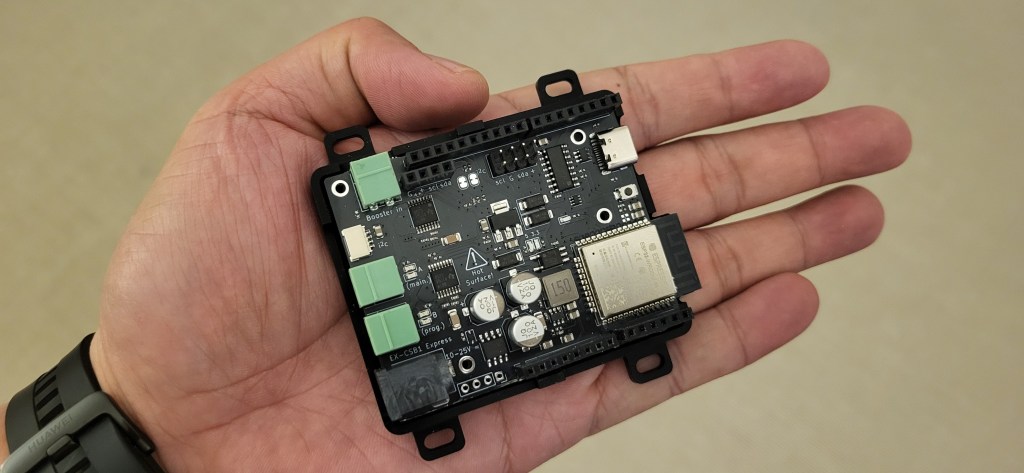
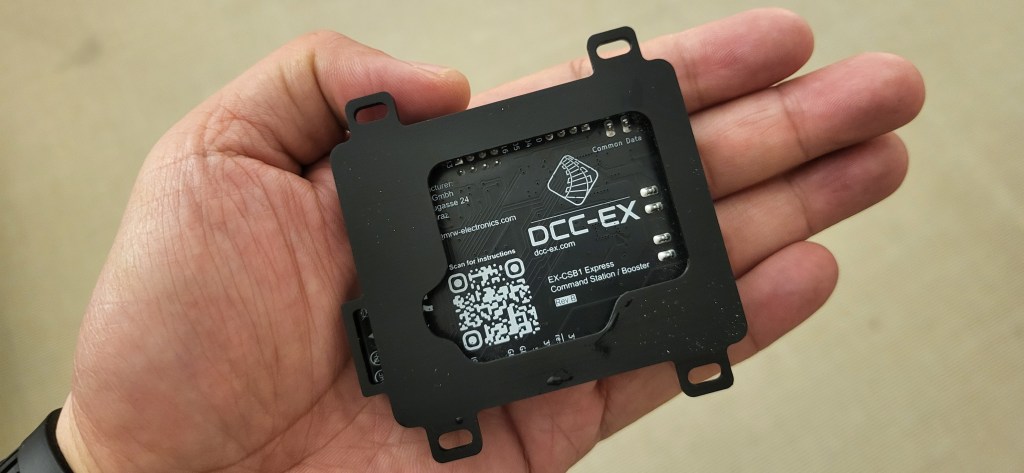
After reading DCC-EX documentation, I was immediately convinced to get hold an EX-CSB1 to try out on my test track, module and eventually in-planning home layout. I owned Roco/Fleichmann z21 white CommandStation (it has since .been sold), a Märklin Central Station CS2 and a Fleischmann analog power pack. These are bulky to carry around. The former 2 are for DCC and AC layouts. An EX-CSB1 that can do both digital and analog is definitely a good proposition and I hope that during further tests, it will deliver and live up to expectation. In addition, it can also serves as a booster.
Best of all, the ready-to-run EX-CSB1 comes with WiFi-capability to punch!
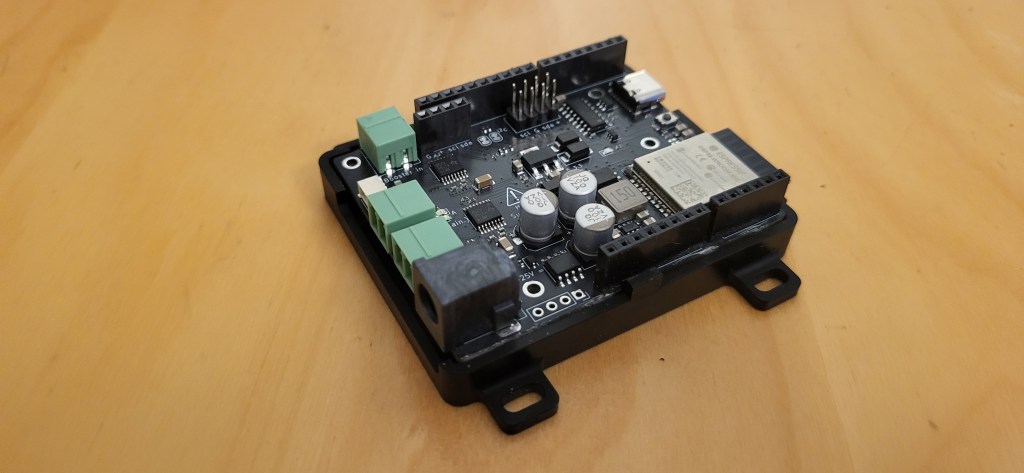
EX-CSB1 with an optional display case
Depending on your model railroad scale (I am both a HO- and reborn N-scaler) and the power supply you use, it can takes up to 24V and 5amps. For me, I am using 12V and 3amp power supply. Yes, a bit on the low side for HO as the recommendation is 14-16V. However, for a small track and module, and possibly running up to 2 locos for now, it would be suffice.
The Virtual Throttle
EX-WebThrottle (cloud-based or locally installed) has an excellent clean user interface. I love it.
A nice web-based throttle. You can choose knob, slide (vertical) or circular in the Settings. Want to create new loco roster and other function mappings (see below)? Select “Emulator” in Dropdown-Menu next to “Connect EX-CS” button.
You can also choose between Simple, Metallic or Dark theme in the Settings.
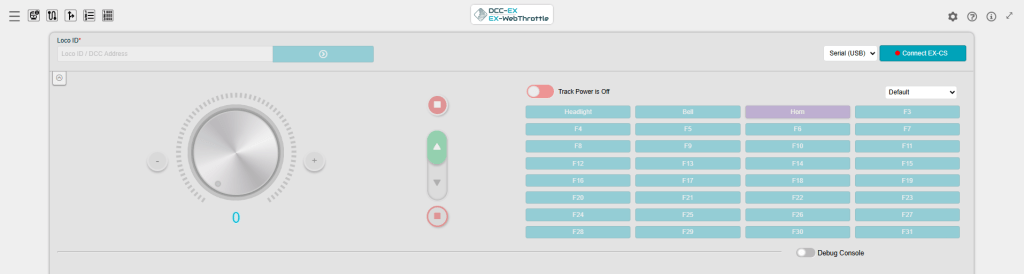

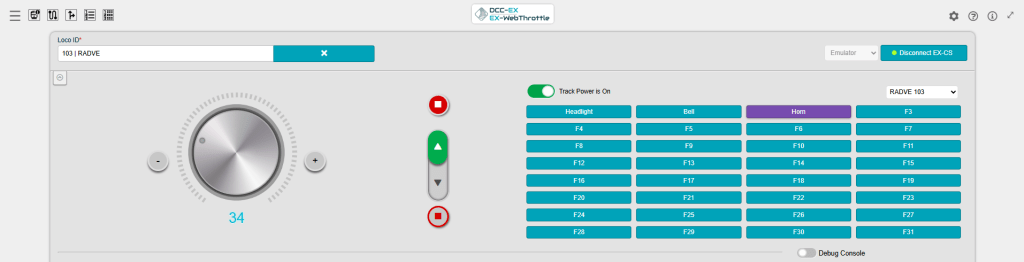


When connected to Programming Track (DCC PROG mode), you can read and write addresses and CVs. A cool feature!

These two features require configurations from JMRI or Engine Drive app. I will test out later (see separate post)


Manage your loco roster here. Add or edit your loco and map their functions using “Function Mappings” feature. I read that loco roster and function mappings are only stored locally and not transferred to the CommandStation or to Engine Driver or DCC-EX CAB app. Thus, it is HIGHLY recommended to create and store the loco roster and function mappings on the app and smart device that you are using.
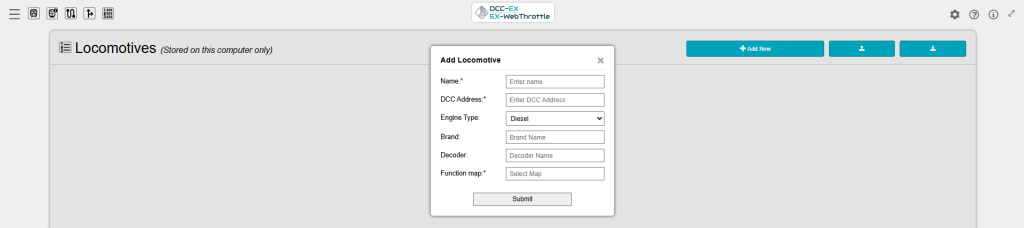


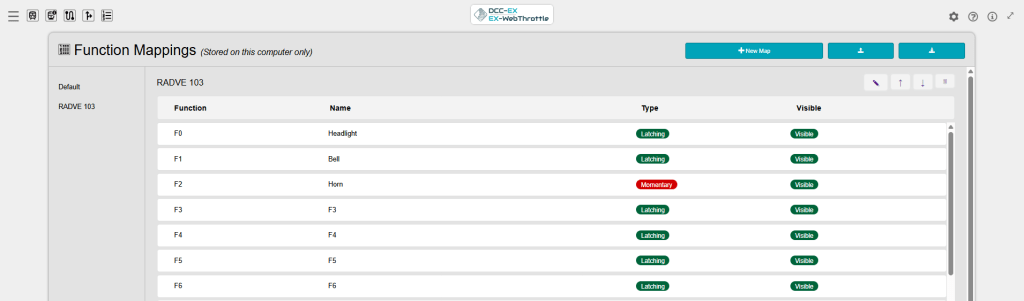
With EX-WebThrottle it really simplified the management of your locos and its functions. At this moment, the WebThrottle communicates with the CommandStation via USB cable. I hope the DCC-EX Team will enhance the capability to connect via WiFi from laptop or desktop to the command station. This will make it even more flexible that users can sit somewhere away from the command station or not requiring a long USB-C cable.
Add-On Software
After reading through the documentations, I summarised my understanding of how all the DCC-EX products and add-ons work together (Note: for experienced DCC-EX users, please correct my understanding via the comments box below)
In total, there are 10 software that complement each other, each with specific functions. You can also connect to JMRI software but for now, I leave it out of this post. Let’s stick to what DCC-EX can offer within its portfolio.
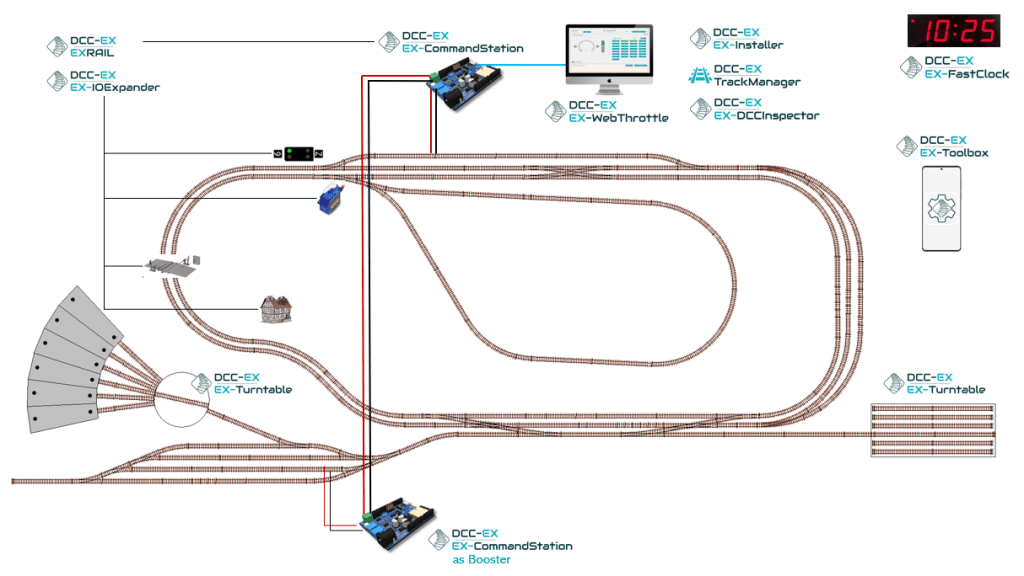
The DCC-EX Big Picture
The flagship product of DCC-EX is the EX-CommandStation, both the hardware and software name, which runs various sketches and libraries. If you DIY-ed your EX-CommandStation, you will need the EX-Installer to send the software to the CommandStation. A second CommandStation can act as booster. This is the main software runs almost everything you need.
The EX-WebThrottle allows you to run your trains, routes and turnouts from your PC. There are various free Android and iOS apps that serve as mobile throttles.
Power output to the tracks can be configured using TrackManager. This software also allows to configure the track outputs A and B (or even C and D if you add motor shield for power districts) for digital (DCC) or analog (DC with Pulse Width Modulation (PWM)) and even DCC PROG (Programming Track). EX-DCCInspector is a packet-sniffing tool. You may not need the latter software.
EX-RAIL and its counterpart EX-IOExpander with appropriate boards/shields allow you to automate and animate your layout. With the IOExpander, you can manage other devices such as signals, turnouts, sensors, etc. at remote corner of your layout.
Do you have turntable or transver on your layout? Then you know how difficulty it is to do the indexing. With EX-Turntable, it will be easy-peasy.
With EX-Toolbox Android-App, you can perform various configurations from your smart devices. It helps you manage your loco roster, CV programming, turnouts and routes as well as testing servos, sensors etc.
Last but not least (as of time of writing), the EX-FastClock is a welcomed add-on for club layouts that want to simulate a fast clock during operating session.
I will test out these software as I learn more and try out their features.
Mobile Throttles
Depending whether you have an Android or iOS device, you can download various mobile throttles. I choose Engine Driver (Android) which uses WiThrottle server and DCC-EX CAB (Android/iOS) which uses DCC-EX Native Commands; thus, DCC-EX CAB reacts faster. At moment, I do not notice anything differences between the two apps during my tests.
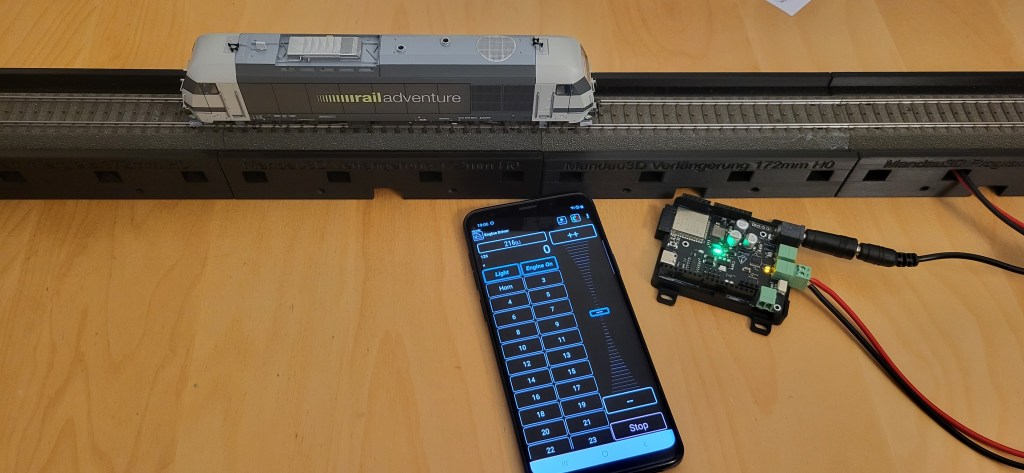
Engine Drive throttle

DCC-EX CAB throttle
I like the UX on DCC-EX CAB mobile app but at 5.49 Euro per month is pretty expensive, when you use it in the long-run. 24 months usage will cost you more than 100+ Euro, the price of a CommandStation! I hope the developer of DCC-EX CAB app will consider one-time payment for his app e.g. 50 Euro for the full license version as more people adopt DCC-EX.
In the meantime. I will test out both apps and evaluate which one would fit my needs.
Overall Impressions
The real test is in the tasting. So, future posts will cover each software and its rich features.
Stay tuned!
 germaN:87AC :: Steam Experience Across Germany
Thanks for the review of DCC-EX Cab app!
LikeLiked by 1 person
To be fair to the developer of this nice DCC-EX CAB, I will purchase a 1-month license to test out all the functionalities and compare with Engine Driver app. Thus, I remain open what both apps have to offer and let my readers decide which one to use.
LikeLiked by 1 person
Thanks for your interest to the DCC-EX Cab! I’m a developer of this app, and the development is in active progress. Much more features to come soon. Also macOS support is planned a little bit later. If you will have any questions please feel free to use technical support email option on the app About page. There you can also find a link to the app home page on the website.
Best regards,
Konstantin
LikeLike
Good morning Konstantin,
Thank you for visiting my blog and identifying yourself.
I noticed you also have ECoS CAB app. My club uses ECoS CommandStation and I would love to test out your ECoS CAB app at your next operating session in June.
Your DCC-EX CAB app looks promising. If you add the same features on ECoS CAB in DCC-EX CAB app, it believe the DCC-EX app will be powerful in addition to other capabilities that DCC-EX offers that others don’t. I hope there will be a Web Server version of DCC-EX with Wi-Fi connectivity to EX-CSB1.
Regards Jimmy
LikeLike
The Engine Driver app can also optionally use the DCC-EX Native Protocol.
This is recommended as it makes additional options available, including CV Programming, District Power Control and the Track Manager functions.
https://dcc-ex.com/throttles/software/engine-driver-native-protocol.html#gsc.tab=0
LikeLike
Thanks for your tip and the link. I will take a look at it.
Regards Jimmy
LikeLike