

I have seen many video reviews of model railway camera cars. Some of them are large and exceeding the loading gauge or too expensive. I want a camera car that does not break the budget. It does need to be wireless so that there is no unnecessary wires or need to carry extra battery.
Review: SQ23 Mini Wireless Camera Car Fulfills My Requirements

Finally, a reasonable wireless camera that fullfill my requirements – the SQ23 mini wireless camera:
- Compact size: 28 x 28 x 30 mm cube with night light, SD-card slot up to 128GB and USB-B micro cable for charging.
- Wireless: Has built-in wireless connection so that your smatphone or tablet can connect to the camera.
- Loading gauge: For HO-scale (1:87) and above, there is no issue with loading gauge profile. The camera width is 28mm so it could fit into any freight or passenger car.
- Attachable: At the rear of the camera there is a magnetic plate that allows you to attach the camera to attach anywhere and adjust to any position you want. There is no need to create power connection to the rail or carry extra power pack.
- Battery life: Built-in battery can last about 90 minutes fully-charged (manufacturer’s claim). I have to run it for that long so when I have an opportunity to do so at our next MIST-61 operating session, I will update the result.
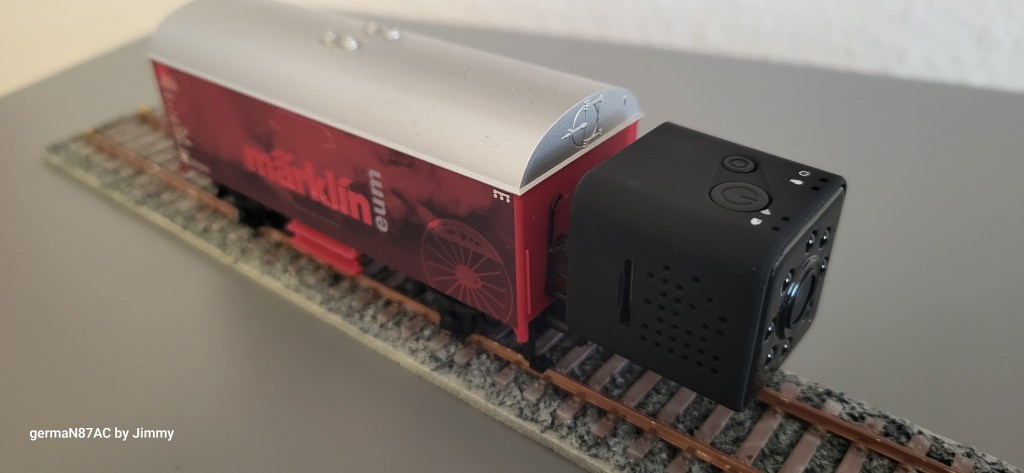
Building a H0 Camera Car
Märklin’s Start-Up low-side car (article no. 4423) is an ideal car for a H0 camera car. I got a pre-owned car from a club member for a few Euros and went to local hardware shop and bought a metal L-bracket (20 mm wide and 40 mm long on each side). It has to be a metal one so that the magnetic rear of the camera could attach to the bracket. I used 2-part epoxy glue to attach the bracket to the wagon and let it dry for 12 hours. The bracket will stay permanent.
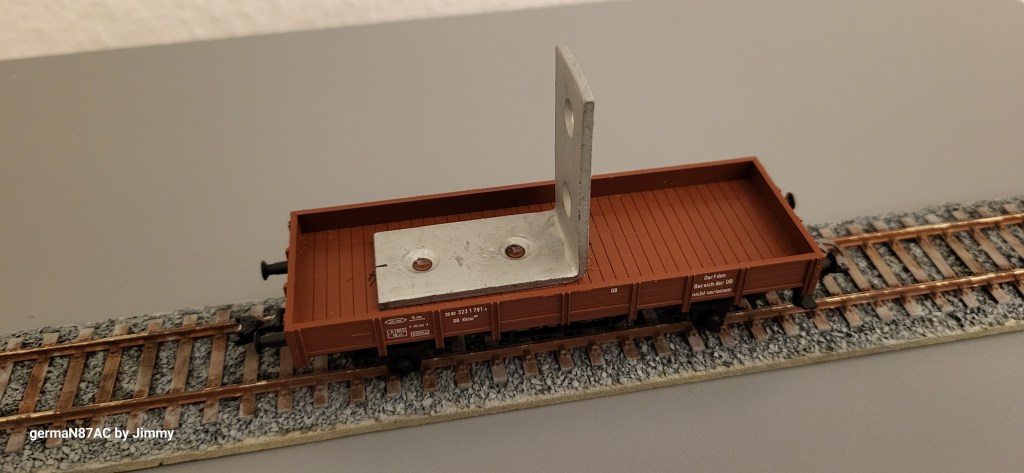
Position the Camera Where You Want
From the maximum position without exceeding the verticle loading gauge down to the floor level, you can position the camera anywhere front or back of the bracket so that you can take videos or pictures from front or looking back.

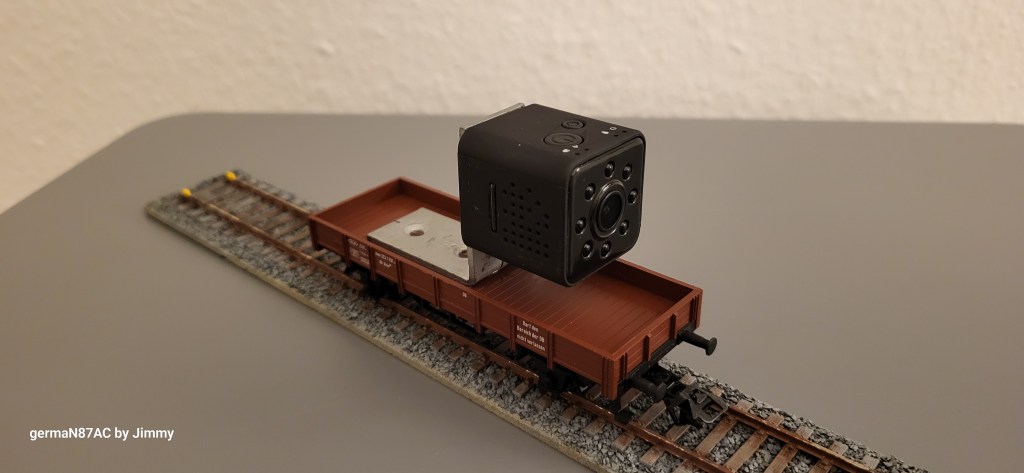
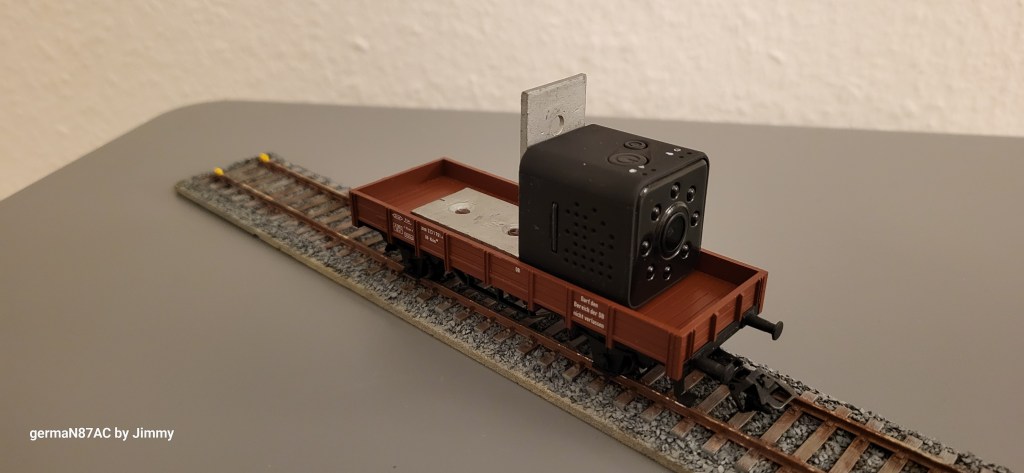
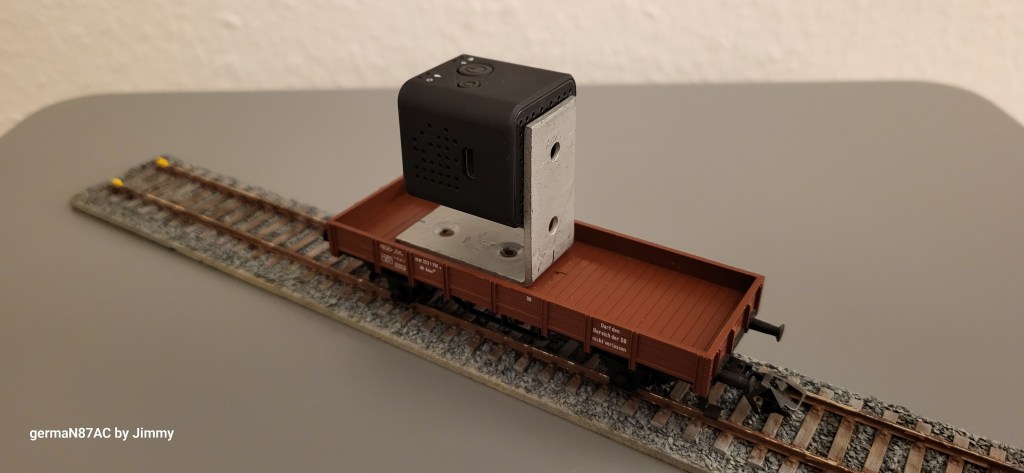
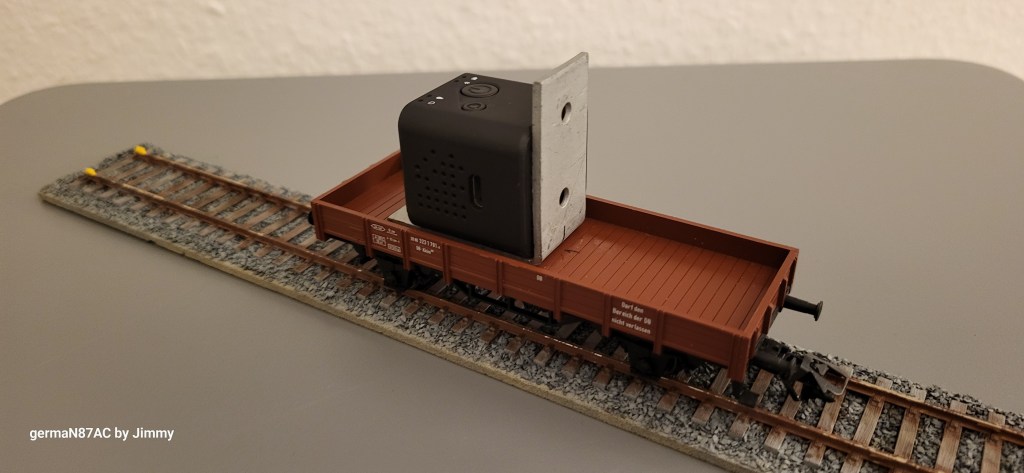
For my purpose, I have Hornby magnetic buckeye and Märklin close coupler on either ends, which have NEM sockets. These couplers are removeable so that if I want to put the camera car in between other freight or passenger cars, I can use the appropriate couplers.
Alternative to Own Built-Camera Car
If you do not want to go through the hassle of building a camera car like the one above, then use Märklin refrigeration car type 4415. The metal bracket at each end could be used to attach the camera. Or use put on any freight car, or stack them for height.

Live Stream or Recording Your Videos or Take Pictures
With SQ23 camera and app, you can live stream or record your videos and take pictures provided you have wireless connection to your smartphone or tablet. The video (1920 x 1080) and picture quality (JPEG 4032 x 3024) is acceptable but as I said, it meets my requirements. Better lighting will improve the image quality. There is 8 night vision lights that could help at dim light environment.

Better Operating Instructions Found Here
It does not have the best operating instructions and took me a while to understand how to use the buttons. Even the app is nothing to shout about and it took me many tries to live stream. So be ready for the frustrations. If you stumbled upon this post, here are better operating instructions to help you:
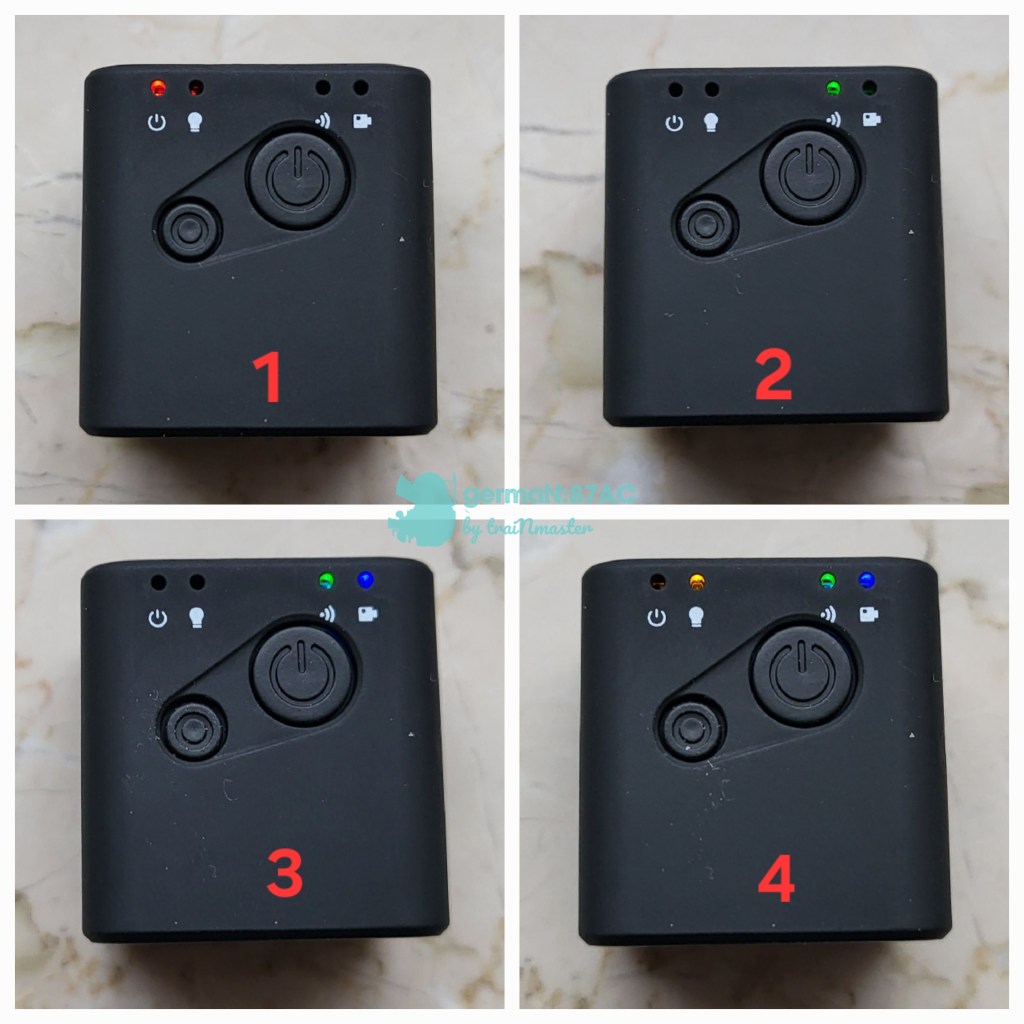
- Press the big On/Off button to turn on or off the camera (Photo 1). The red light will blink a while and then stay on.
- Turn on the WiFi connection on your devise first. You will see the SSID SQ23_xxxx (you may or may not be able to change this SSID name depending on your app version).
- Press and hold the small button for a few seconds (Photo 2) and wait for the green light to appear. This will show that your devise is connected to the wireless camera.
- Press the small button once and the blue light will turn on (Photo 3). This turns on the camera.
- Now open the Sports Camera app. Left or right menu allows you take photo or record video and save it to appropriate location – phone storage or SD card in the mini camera.
- Press the small button again will allow you to live stream without recording the video to the phone or SD card.
- If you want to activate the night vision (Photo 4), press and hold the small button for a few seconds. The amber light will lit.
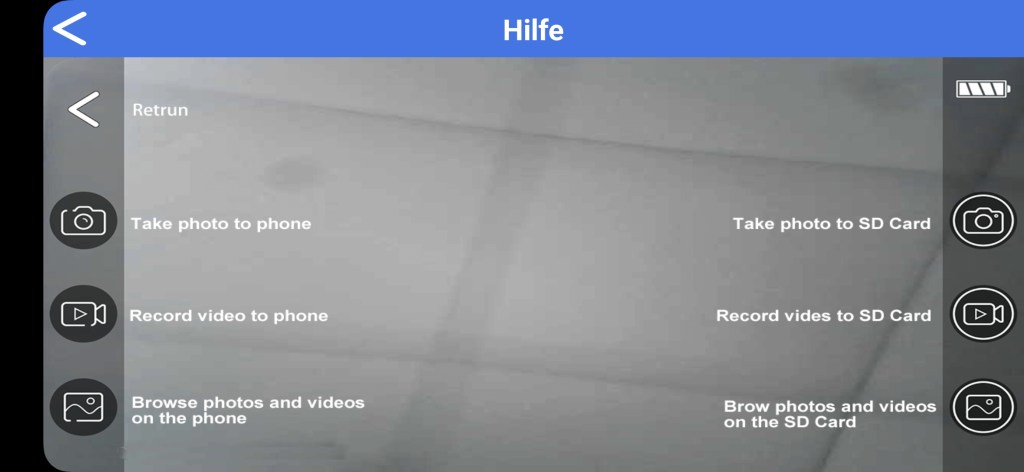
I hope this post helps you to build your own H0 camera for less than 30 Euros and have a less frustrating experience operating the mini camera.
Updated: Video Screenshots from Various Heights
At maximum possible vertical height, you can see over the roof of a side wall (Schiebewandwagen) freight car.
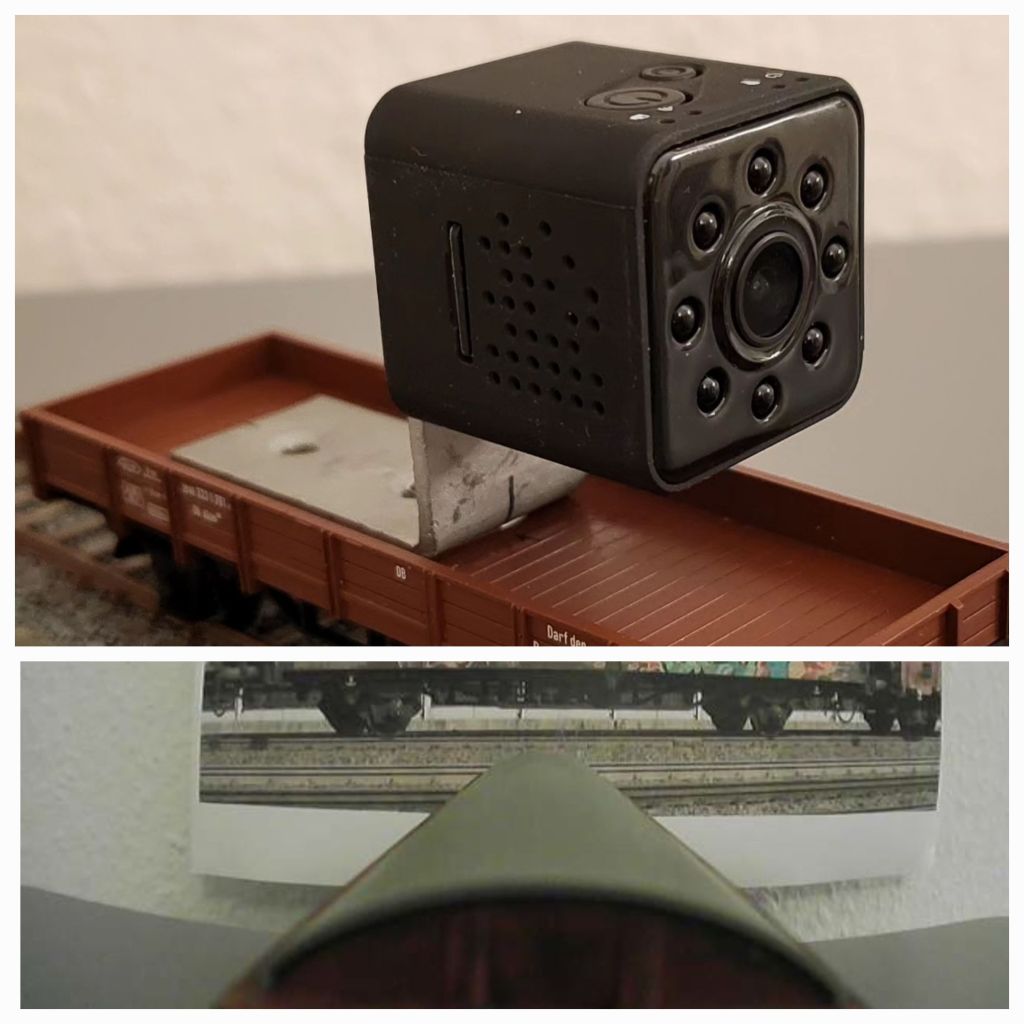
When positioned up to the top height of the L-bracket

When positioned on the floor of camera car

As I said, the quality for near view is not spectular and all depends on the environment lighting. Night vision light helps only in dark environment.
 germaN:87AC :: Steam Experience Across Germany